Slate vs simple
Slate and simple are both open source static site generators. Slate is written in Ruby and simple is written in JavaScript.
| Property | Slate | simple |
|---|---|---|
| Language | Ruby | JavaScript |
| Templates | Markdown | Markdown |
| License | Apache-2.0 | MIT |
Slate benefits
Slate helps you create beautiful, intelligent, responsive API documentation.
Features
-
Clean, intuitive design — With Slate, the description of your API is on the left side of your documentation, and all the code examples are on the right side. Inspired by Stripe's and PayPal's API docs. Slate is responsive, so it looks great on tablets, phones, and even in print.
-
Everything on a single page — Gone are the days when your users had to search through a million pages to find what they wanted. Slate puts the entire documentation on a single page. We haven't sacrificed linkability, though. As you scroll, your browser's hash will update to the nearest header, so linking to a particular point in the documentation is still natural and easy.
-
Slate is just Markdown — When you write docs with Slate, you're just writing Markdown, which makes it simple to edit and understand. Everything is written in Markdown — even the code samples are just Markdown code blocks.
-
Write code samples in multiple languages — If your API has bindings in multiple programming languages, you can easily put in tabs to switch between them. In your document, you'll distinguish different languages by specifying the language name at the top of each code block, just like with GitHub Flavored Markdown.
-
Out-of-the-box syntax highlighting for over 100 languages, no configuration required.
-
Automatic, smoothly scrolling table of contents on the far left of the page. As you scroll, it displays your current position in the document. It's fast, too. We're using Slate at TripIt to build documentation for our new API, where our table of contents has over 180 entries. We've made sure that the performance remains excellent, even for larger documents.
-
Let your users update your documentation for you — By default, your Slate-generated documentation is hosted in a public GitHub repository. Not only does this mean you get free hosting for your docs with GitHub Pages, but it also makes it simple for other developers to make pull requests to your docs if they find typos or other problems. Of course, if you don't want to use GitHub, you're also welcome to host your docs elsewhere.
-
RTL Support Full right-to-left layout for RTL languages such as Arabic, Persian (Farsi), Hebrew etc.
Getting started with Slate is super easy! Simply fork this repository and follow the instructions below. Or, if you'd like to check out what Slate is capable of, take a look at the sample docs.
simple benefits
#Simple
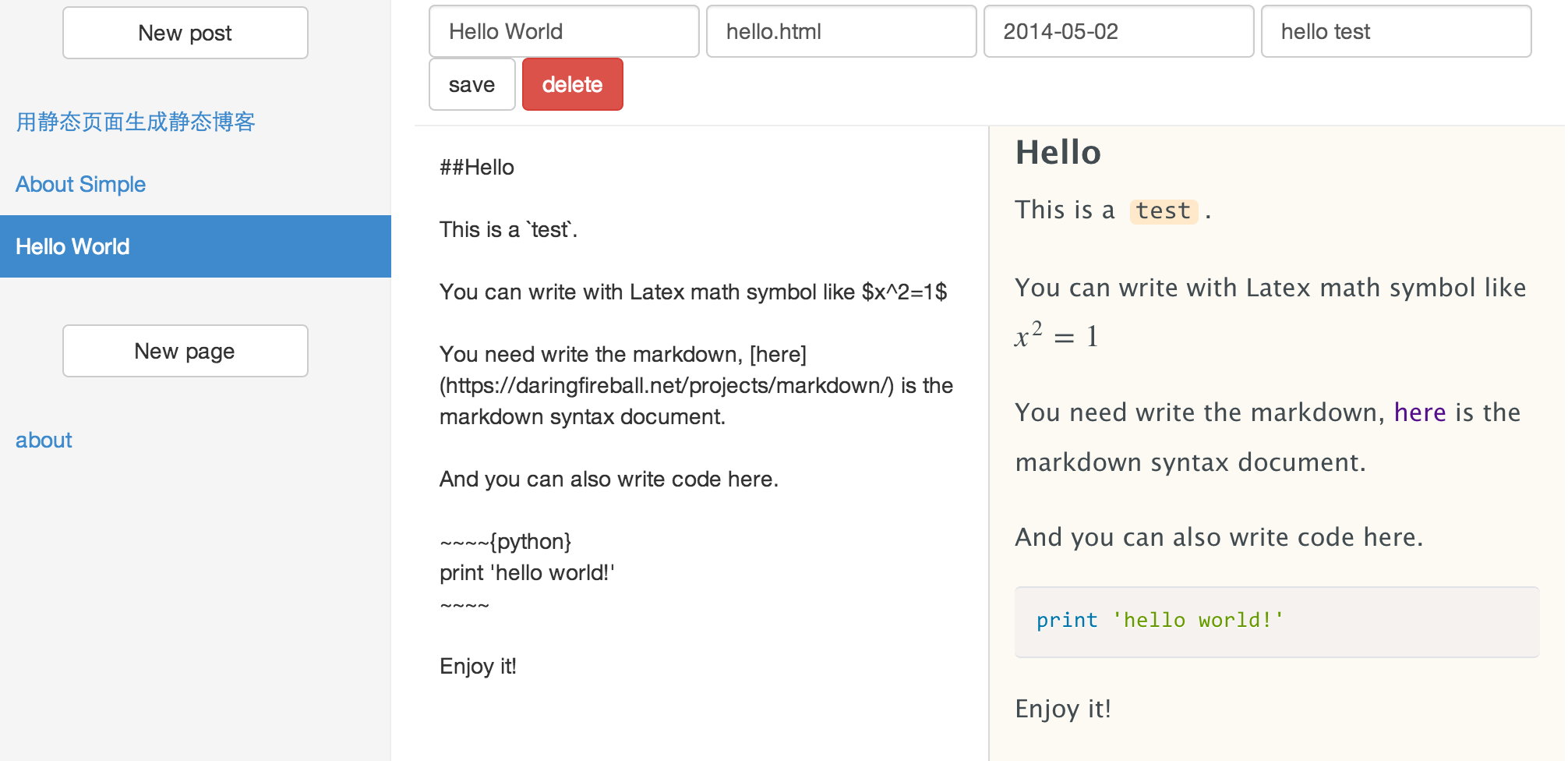
Simple is a static blog generator with a single static page. You can write you blog online, and it will generate static html files at your repo named username.github.io which is supported by github pages
##Demo
##Usage
With Simple and github pages you can easily create your static blog. Here is what you need to do.
- Create a github account.
- Create a repo named
your_user_name.github.io(remember to checkInitilize and create README). - Sign in Simple with your github account.
- Click
Initilizeto set up basic files for your static blog site.(maybe a little slow) - Click
Goand start writing. - Click
New postto create a new post and when finish writing clicksaveto generate the static page. - Now you can browse the
your_user_name.github.iosite and enjoy it!
-
You can use your own blog name, just modify the
main.jsonfile, and changename="username". -
You can use disqus comment system, just modify the
main.jsonfile, and changedisqus_shortname=""todisqus_shortname="your_shortname". -
You can use your own custom domain, just modify the
CNAMEfile.(see also)
##Features
- Simple, no backend need
- Static blog
- Markdown editor
- Code highlight support
- Tex formula support
- Responsive html
##Custom
The template files are at /src/template, so you can modify the template files and css files. If you want use your own theme you can clone the project, modify the template files and push the entire src folder in your gh-pages branch which will allow you generate your own static blog.
##Todo
Enhance error display, Search, Sitemap, Rss
##License
MIT licensed.